Best 3D Printers for Robotics Hobbyists in 2026

ContentsWhat Robotics Hobbyists Actually Need from a Printer
- What Robotics Hobbyists Actually Need from a Printer
- 1. Best Budget Option: Entry-Level FDM Printer
- 2. Best All-Rounder: Mid-Range Enclosed FDM Printer
- 3. Best for Precision Parts: Resin (SLA) Printer
- 4. Best for Flexible Parts: Printer with Direct-Drive Extruder
- 5. Best for Large Builds: Larger Build Volume FDM Printer
- Material Guide for Robotics Parts
- FAQ
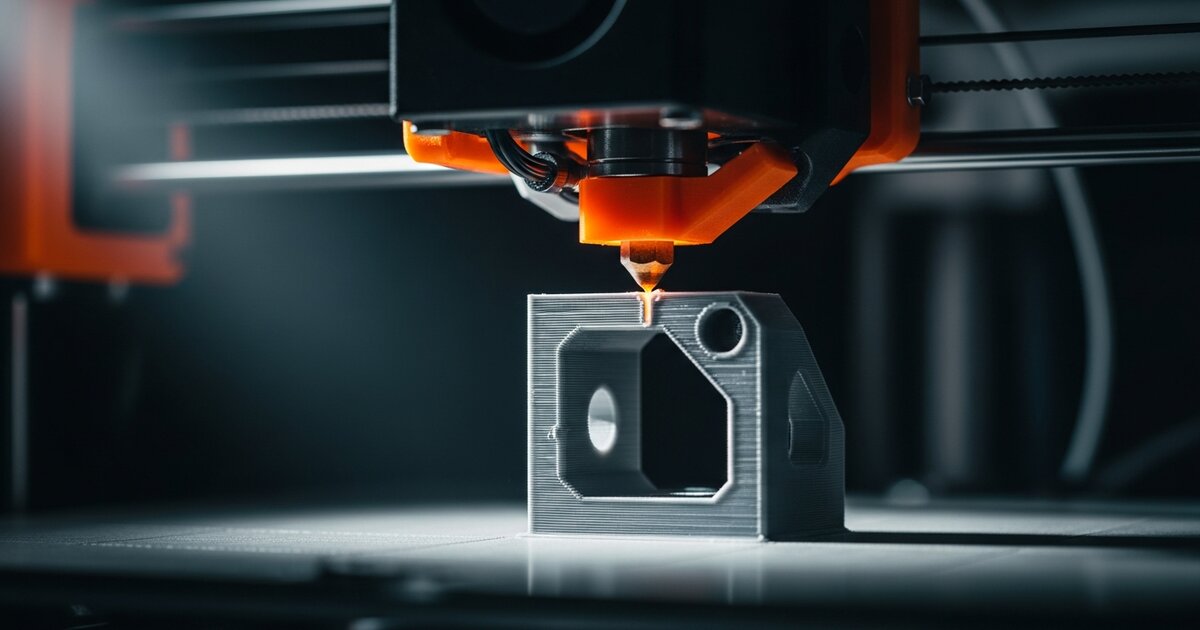
Once you've built a couple of robots from off-the-shelf kits, the next natural step is designing and printing your own parts — custom chassis, sensor mounts, gripper fingers, gearboxes. A 3D printer turns robotics from "assembling pre-made pieces" into genuine mechanical design, and the printer you choose affects everything from print strength to how much time you'll spend troubleshooting instead of building robots.
Some articles include recommended robotics gear. We only suggest products we genuinely believe are useful.
What Robotics Hobbyists Actually Need from a Printer
Unlike printing display models or figurines, robotics parts have specific demands:
- Dimensional accuracy matters more than for decorative prints — a motor mount that's 0.3mm off can mean a part that doesn't fit or a motor that sits at the wrong angle.
- Strength under load matters for structural parts like chassis plates, arm links, and gear teeth.
- Material flexibility is valuable — being able to print both rigid PLA/PETG parts and flexible TPU parts (for grippers, shock-absorbing feet, or wheels) from the same machine.
- Build volume should comfortably fit your typical chassis size, with room to spare for larger projects later.
1. Best Budget Option: Entry-Level FDM Printer
Budget-tier FDM (fused deposition modeling) printers have improved dramatically, and a sub-$300 printer is now genuinely capable of producing usable robotics parts — brackets, mounts, simple chassis pieces — as long as you're willing to spend some time tuning settings. This is the right starting point if you're not yet sure how much you'll actually use a printer.
2. Best All-Rounder: Mid-Range Enclosed FDM Printer
Stepping up to a mid-range printer with an enclosure brings real benefits for robotics specifically: enclosed printers maintain more consistent temperatures, which improves print reliability for engineering materials like PETG and ABS (both more heat-resistant and durable than basic PLA, useful for parts near motors or in direct sunlight).
3. Best for Precision Parts: Resin (SLA) Printer
For small, high-precision parts — gears, connectors, custom sensor brackets with tight tolerances — resin printers offer significantly finer detail than FDM. The trade-off is build volume (typically smaller) and a messier post-processing workflow (washing and curing prints in IPA and UV light). Most robotics builders use resin printers alongside an FDM printer for small precision parts, not as a replacement.
4. Best for Flexible Parts: Printer with Direct-Drive Extruder
TPU (flexible filament) is genuinely useful in robotics — for gripper pads, vibration-dampening feet, or flexible wheel treads — but it's notoriously difficult to print on printers with a "Bowden" extruder setup (where the filament travels through a long tube before reaching the nozzle). A printer with a direct-drive extruder, where the motor sits right at the print head, handles flexible filament far more reliably.
5. Best for Large Builds: Larger Build Volume FDM Printer
If you're designing larger robots — full-size chassis plates, larger arm builds, or anything that won't fit on a standard 220x220mm bed — a printer with a larger build volume avoids the need to print large parts in sections and glue them together, which often introduces weak points.
Material Guide for Robotics Parts
| Material | Strength | Heat Resistance | Best Use |
|---|---|---|---|
| PLA | Moderate | Low | Prototypes, low-stress brackets |
| PETG | Good | Moderate | Structural parts, outdoor use |
| ABS | Good | High | Parts near motors/heat sources |
| TPU | Flexible | Moderate | Gripper pads, wheels, dampening |
| Resin | Brittle but precise | Low–moderate | Small precision parts, gears |
FAQ
Do I need a 3D printer to get started in robotics?
No — most beginner projects use off-the-shelf kits and chassis. A printer becomes valuable once you start customizing designs or need parts that don't exist commercially.
Is PLA strong enough for a robot chassis?
For light robots, yes. For anything carrying significant weight, experiencing repeated stress (like gear teeth), or operating near heat sources, PETG or ABS hold up better than standard PLA.
Resin or FDM for robotics — which first?
FDM first. It's more versatile for general-purpose parts, cheaper to run, and the learning curve is gentler. Add resin later specifically for small precision parts if you find you need them.
Can I print working gears for a robot?
Yes, and it's a common application — but gear performance depends heavily on material choice, print settings, and tooth design. PETG generally outperforms PLA for gear durability, and resin can offer the finest tooth precision for small gears.
How much should a first 3D printer for robotics cost?
A capable budget FDM printer suitable for most robotics parts is available well under what many assume — the entry-level tier described above is genuinely sufficient for most hobby projects, with upgrades best reserved for once you know exactly what limitation you're solving for.
Affiliate disclosure: RoboTechJournal participates in the Amazon Services LLC Associates Program and other affiliate programs. We may earn a small commission when you buy through our links — at no extra cost to you. We only recommend products we have researched or used.