ESP32 vs Arduino vs Raspberry Pi for Robotics: Which Should You Buy?

ContentsThe Short Version
If you're starting a robotics project, one of the first questions you'll run into is which "brain" to build around. Arduino, ESP32, and Raspberry Pi get recommended interchangeably online, but they're not actually interchangeable. Each is built around a different set of trade-offs, and picking the wrong one can mean hitting a wall halfway through your build.
The Short Version
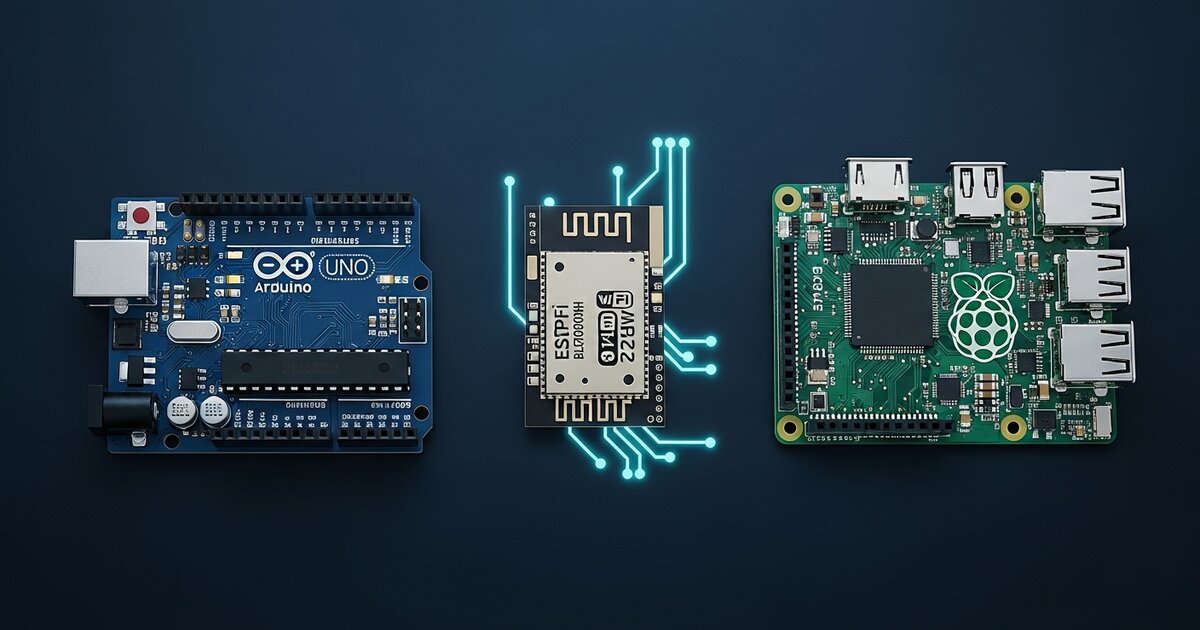
- Arduino (Uno, Nano, Mega): Best for simple, real-time control of motors, sensors, and actuators. No OS, dirt cheap, rock-solid timing.
- ESP32: Arduino-like simplicity plus built-in Wi-Fi and Bluetooth, dual-core processing, and enough power for basic sensor fusion. Great middle ground.
- Raspberry Pi: A full Linux computer. Best when your robot needs to run AI models, process camera feeds, or handle complex software.
Arduino: The Reliable Workhorse
Arduino boards run a single program in a continuous loop with no OS getting in the way. When you tell an Arduino to read a sensor every 10 milliseconds, it does exactly that — every time, with no lag from background processes. This makes it ideal for PID-controlled motor systems, line-following robots, and servo-driven mechanisms. The downside is processing power: no Wi-Fi without an add-on shield, and very limited memory for complex logic.
ESP32: The Underrated Middle Ground
The ESP32 is marketed as an "IoT chip," but it's quietly one of the best boards for intermediate robotics. It programs the same way as an Arduino (via the Arduino IDE), but adds dual-core processing, built-in Wi-Fi and Bluetooth, and more GPIO pins — often for less than an Arduino + Wi-Fi shield combo.
For robots that need wireless control or stream sensor data to a dashboard, the ESP32 removes a whole category of headaches. The trade-off: it's still a microcontroller, not a computer. No running OpenCV, no SLAM, no neural networks beyond very lightweight TinyML models.
Raspberry Pi: When You Need a Real Computer
The Raspberry Pi runs full Linux. If your robot needs to process video in real time, run SLAM, execute a trained object detection model, or serve a web interface, you need a Pi. The catch: Linux isn't a real-time OS, so it can occasionally miss precise timing deadlines — a problem for motor control.
This is why many serious robots use both: a Raspberry Pi for "thinking" (vision, planning, navigation) and an Arduino or ESP32 for "doing" (motor control, low-level sensors), communicating over serial or I2C.
Quick Comparison
| Feature | Arduino Uno | ESP32 | Raspberry Pi |
|---|---|---|---|
| Operating System | None | None (RTOS optional) | Linux |
| Real-time control | Excellent | Very good | Poor |
| Wi-Fi / Bluetooth | No (needs shield) | Built-in | Built-in |
| Computer vision | No | Very limited | Yes |
| Best for | Simple robots, motor control | Wireless / connected robots | AI, vision, navigation |
Our Recommendation
First robot or simple build: Arduino Uno or Nano. Want wireless control or a step up in power: ESP32 — it's the safest "grow into it" choice. Building anything with a camera, AI, or autonomous navigation: Raspberry Pi, likely paired with an ESP32 or Arduino for motor control. For specific board models and pricing, see our full microcontroller comparison guide.